$ PeekBuddy
PeekBuddy silently watches your folders and logs every change in real time, so you can see what changed, when, and whether anything was missed. It is a single portable program for Windows 11 (x64 and arm64; Windows 10 22H2 on a best-effort basis): no installer, no login, no server, no tracking. The log never leaves your disk.
Download. Releases are on GitHub. The first versions are not code-signed: SmartScreen shows "Unknown publisher" (choose "More info", then "Run anyway") and Smart App Control blocks the program where it is on. Every release carries checksums and a GitHub attestation for each file; here is how to verify them.
Screenshots
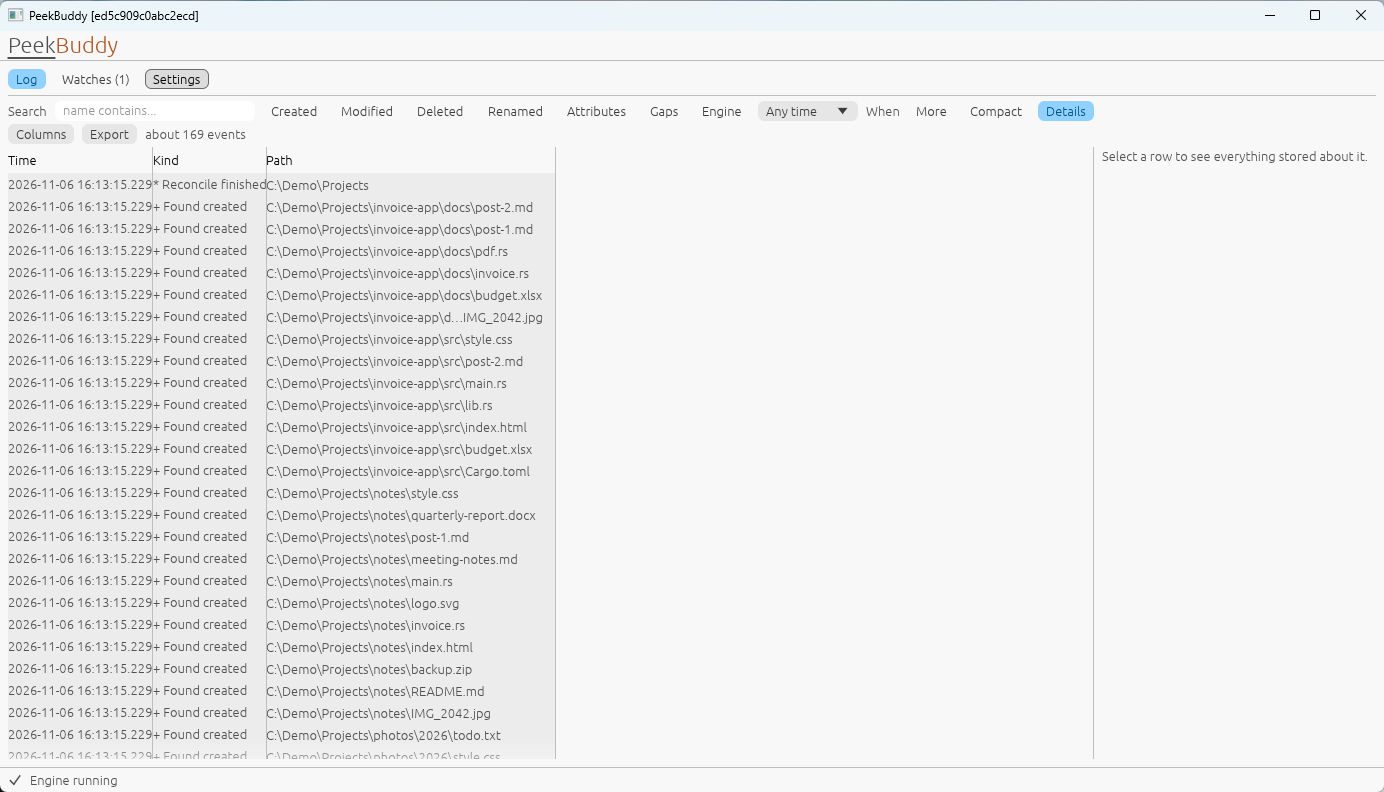
PeekBuddy log: every change to a watched folder, newest first, with a gap row and the rows that closed it
The log lists every change in the folders you watch, newest first, and new rows arrive live. A gap, such as the time the engine was not running, is a row of its own, followed by the changes found when PeekBuddy compared the folder with what it knew before. Filter by name, kind and time.
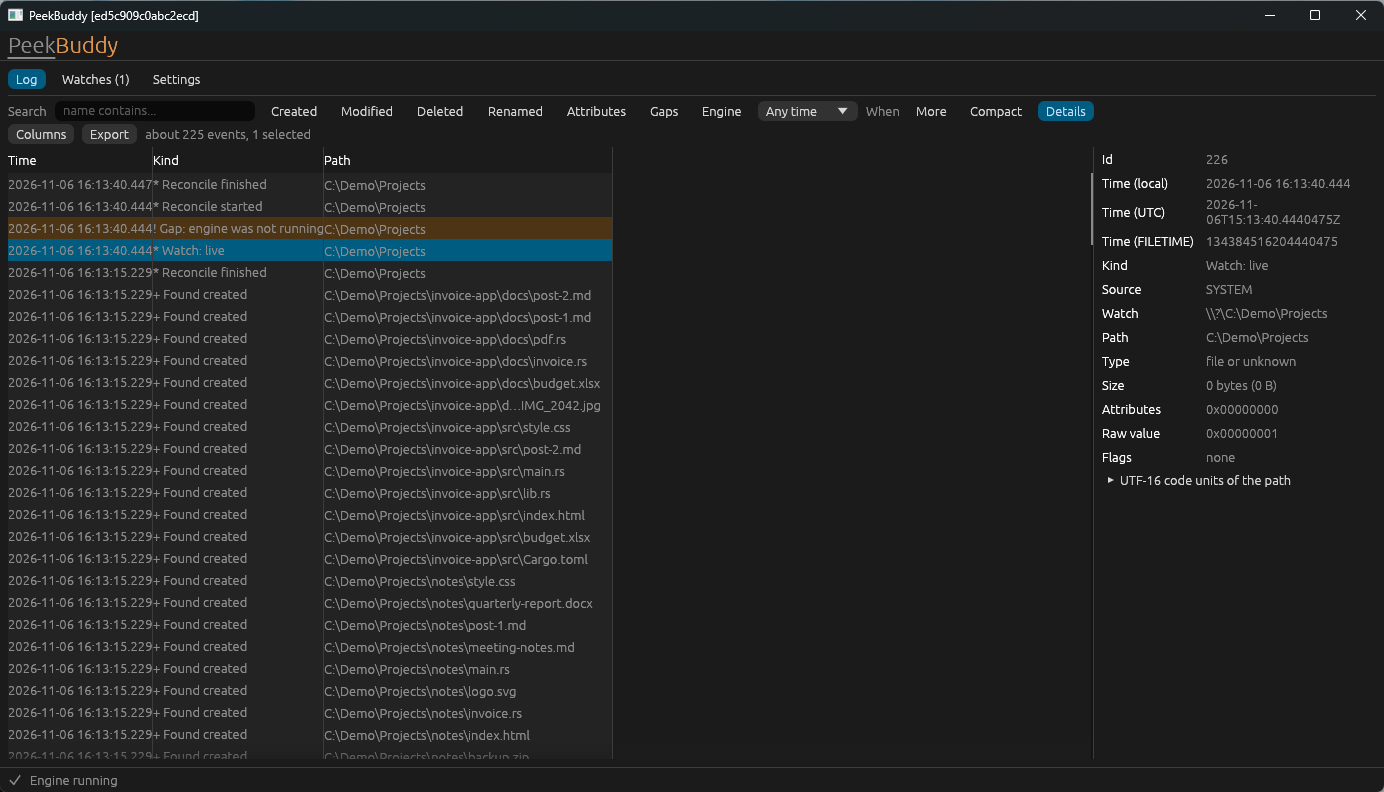
PeekBuddy in the dark theme with the details pane open on a selected row
Select a row to see everything stored about it: local and UTC time, kind, source, the watched root, the path, size and attributes. Nothing is opened or read: PeekBuddy never looks at the content of your files.
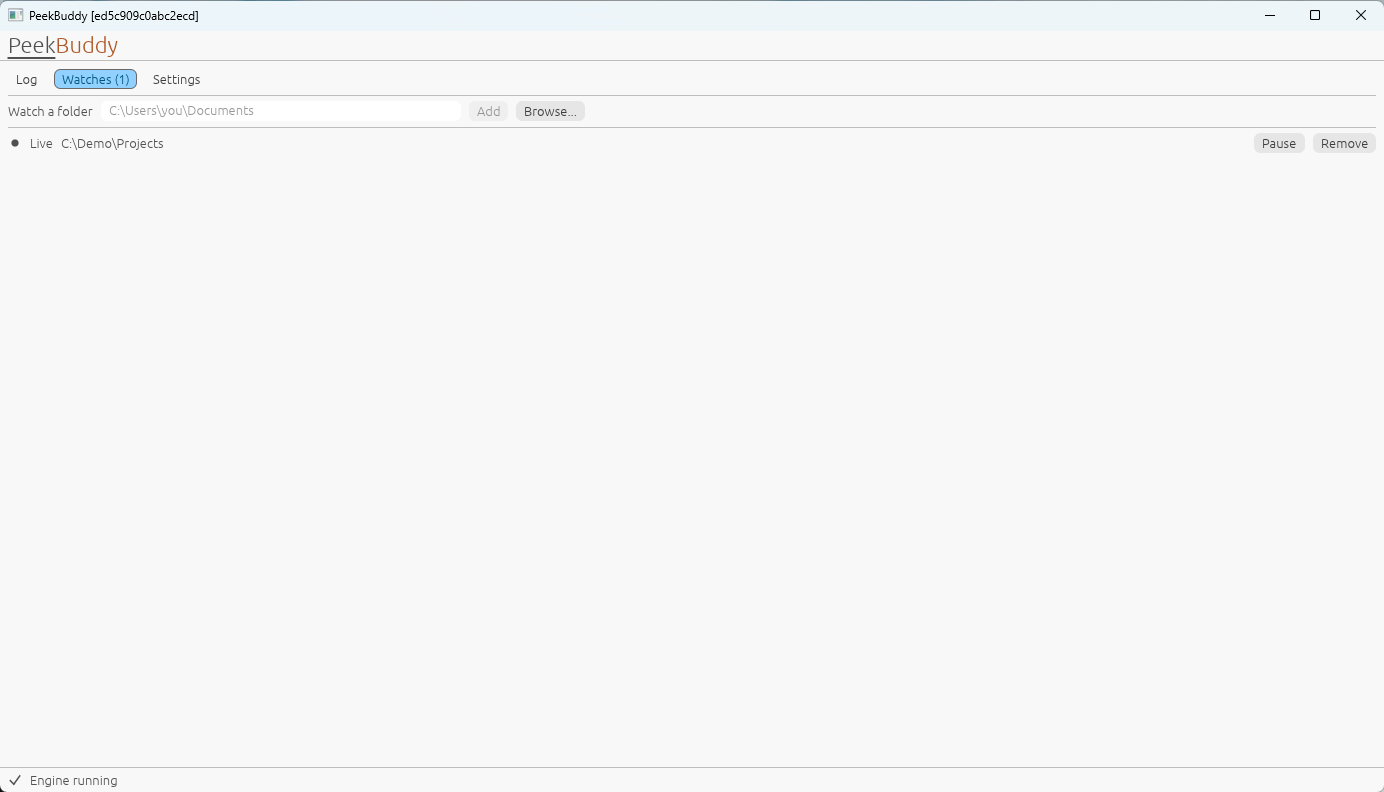
The Watches tab listing a watched folder with its state
Add or remove folders, pause a watch and see its state in words: PeekBuddy tells you when a watch is not live instead of silently missing changes.
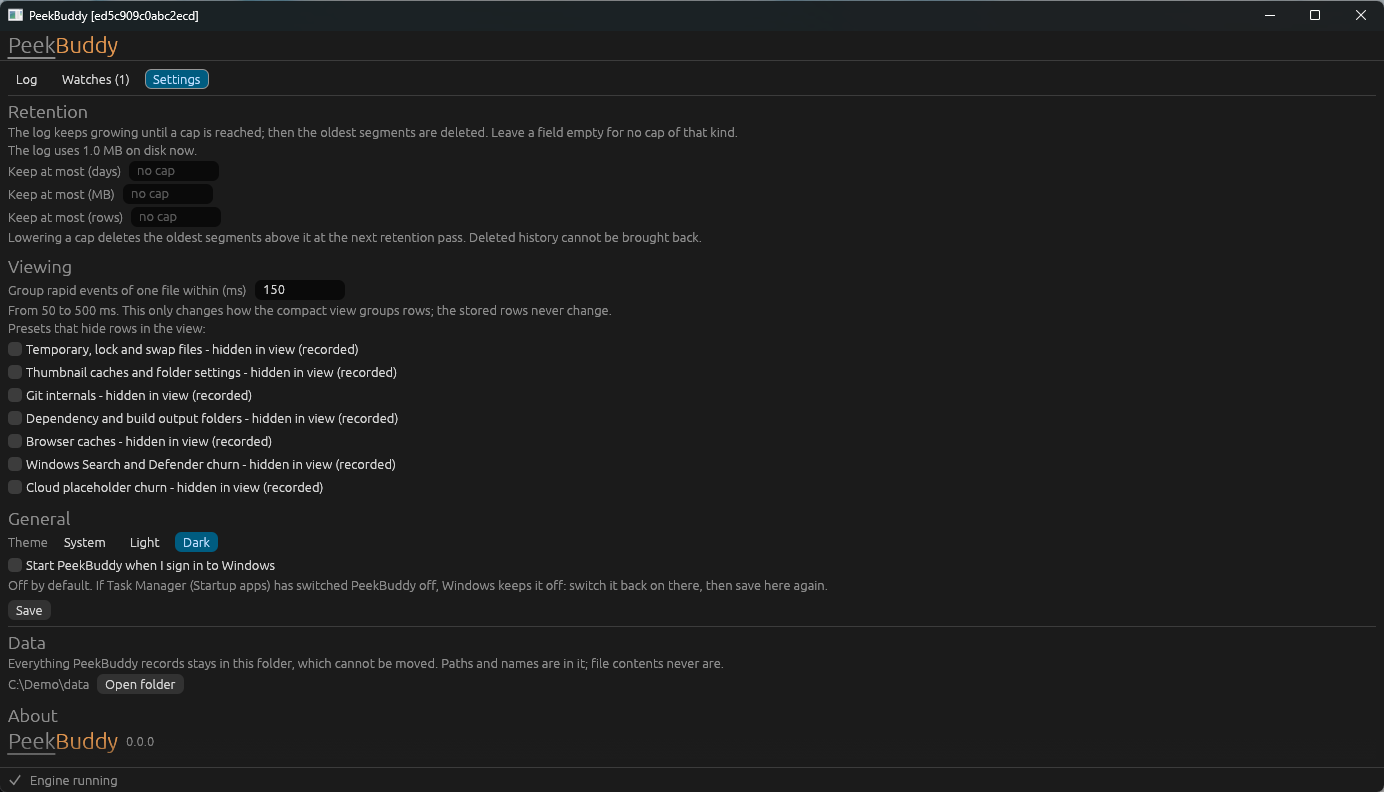
The Settings tab with the retention, theme and autostart options
Retention limits, the theme and autostart (off until you switch it on). The settings file is plain text, and the diagnostics preview shows what would be copied before anything leaves your PC.